Frontend Development - blogs and user panel
2 min read
This week i spent time developing the blog page and blog posts along with the user panel.
By jacob•14/01/2026
Blog page
I wanted this layout to be simplistic but easy to use,
upon clicking blogs on the navigation bar you will get redirected to a page featuring all blogs, with a simple title, description, author and creation date.
Blog Posts
I followed similar designs with Title, description and the content
the way i've designed it is to work in sections which can have both a title and a description so it'll be easy to add multiple sections if i want to once i've developed and hooked up the backend code.
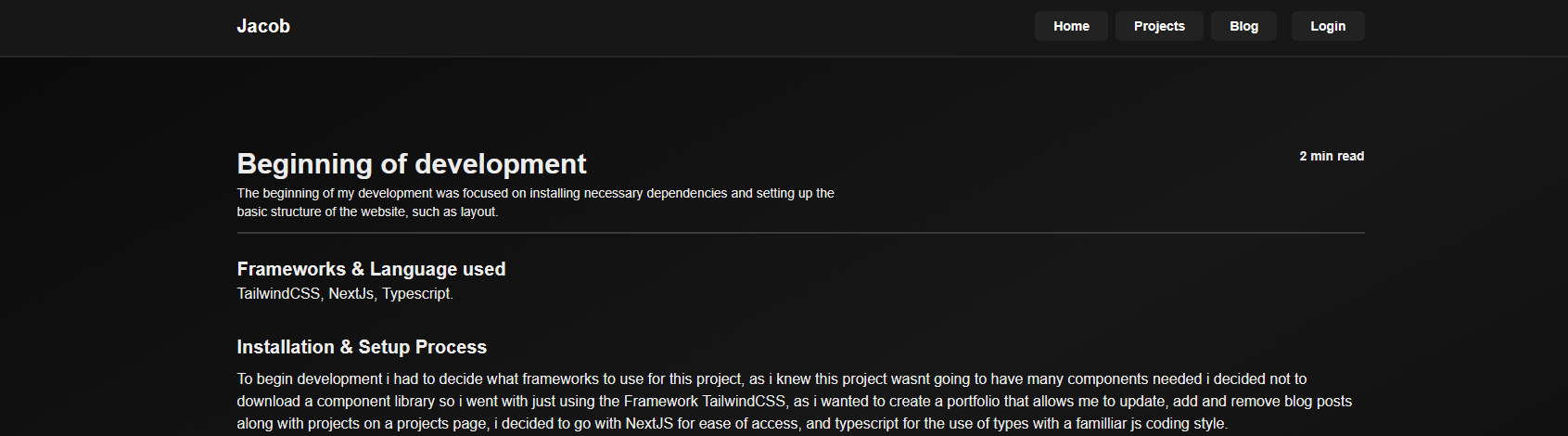
Here is how it looks, I'm happy with how it is and feel like its a good fit.
Panel
I wanted the panel to be simple and easy to use so i've created "tabs" that a user can use to filter between either creating projects, blogs or invites (if i wanted to invite other people to create blogs in the future for example)
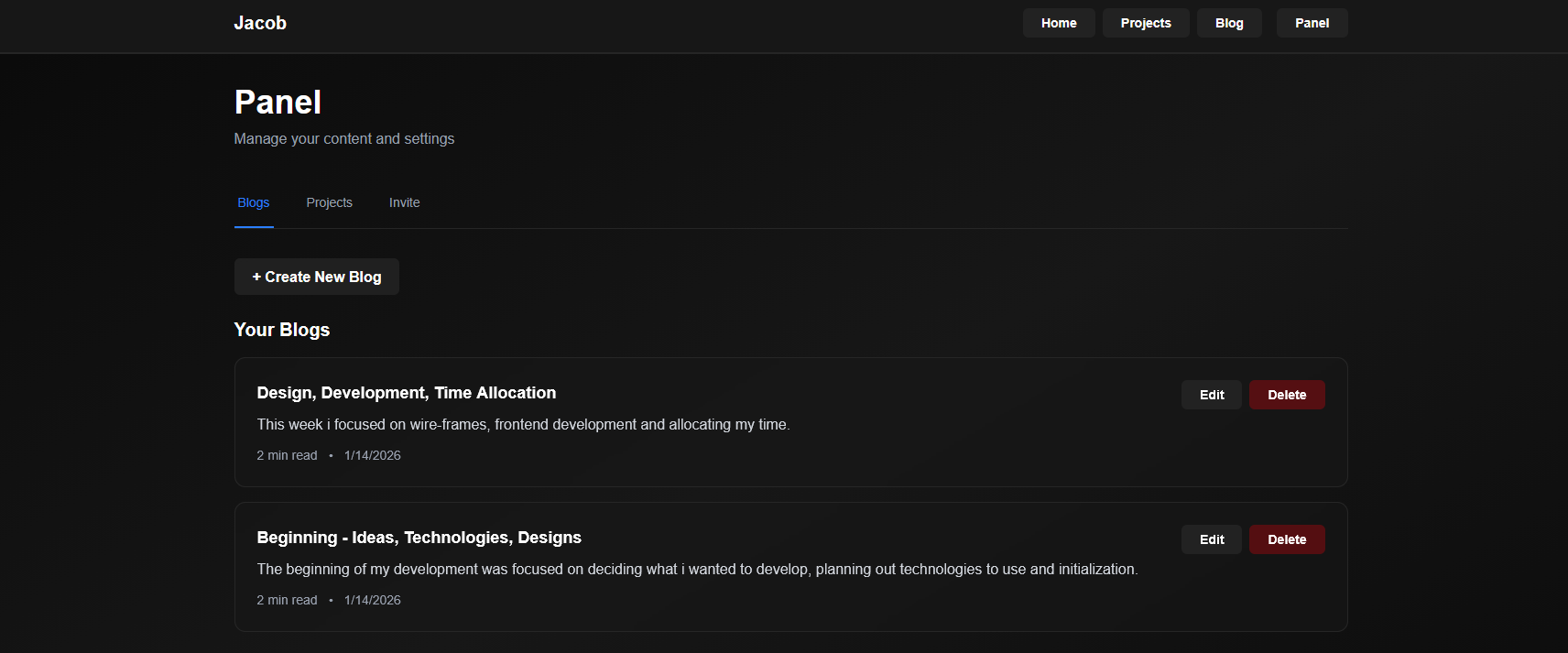
Here's how it looks so far, next week i'll introduce 'Modals' as a way to edit the posts with a simple pop up for ease of use.
Code
As of right now the code is static so it isn't actually functional as of right now but I'll beginning backend development in the coming weeks.
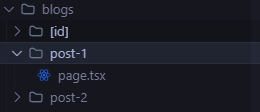
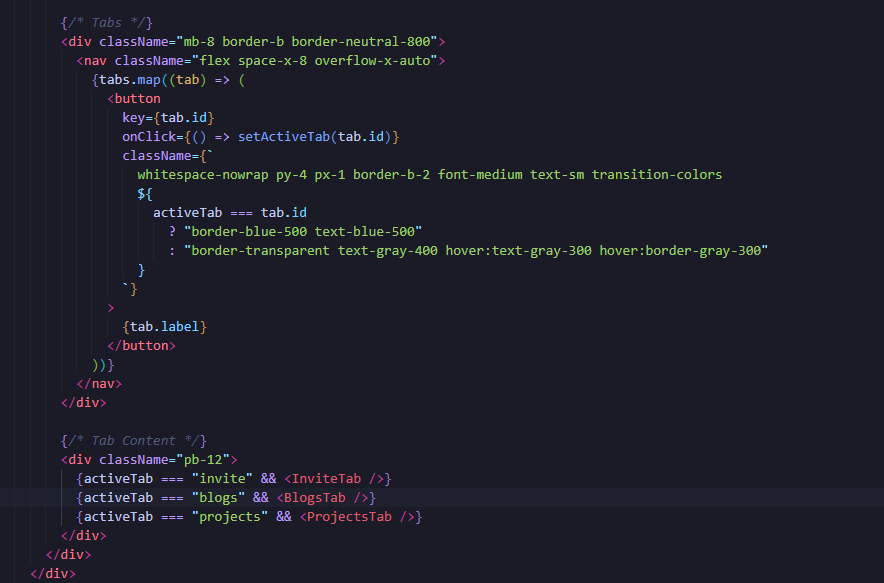
The tabs to filter between blog posts, invites and projects work by using 'ids' for example "blogs", then i can call the items inside of a tab by using that ID
and then the code for each tab is in their own component to help minimize the amount of code in each file for tidyness
Next week i plan on finalizing the frontend before moving onto backend development such as finishing projects page and login/register pages.
Thats all for today!